

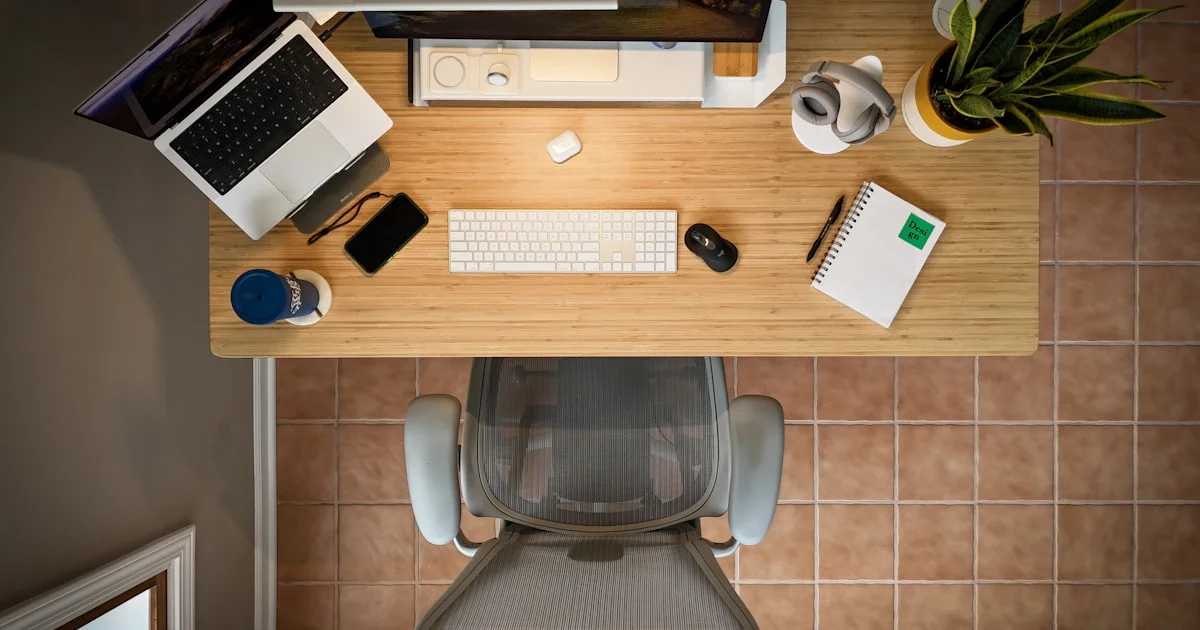
Most desk upgrades are bought for how they look in a photo and abandoned within a month. The top 7 desk accessories for productivity are the boring ones that fix a physical problem you have every single day: your neck tilts down, your wrists bend up, your cables tangle, and the one thing you need is always under something else. Get those right and the desk stops competing for your attention.
Key Takeaways
- Fix heights before buying anything decorative. A monitor riser and a proper keyboard position solve most desk discomfort.
- OSHA suggests keeping a monitor 20 to 40 inches from your eyes with the top at or slightly below eye level.
- Your elbows should sit at about keyboard height with forearms roughly parallel to the floor and wrists straight.
- Cable management is a productivity accessory, not a cosmetic one — loose cables are what make a desk feel unusable.
- Buy one item at a time and live with it for a week. Most people need three or four accessories, not eleven.
What Are the Top 7 Desk Accessories for Productivity?
The short answer: a monitor riser or arm, an external keyboard and mouse, a task lamp, a headphone stand, a cable tray or clips, a small drawer or tray for the things you reach for hourly, and a footrest if your feet do not sit flat. That is the whole list, and it is short on purpose. The top 7 desk accessories for productivity below are ordered by how much difference each one makes on day one.
- Monitor arm or riser — lifts the screen to eye level and returns the space underneath.
- External keyboard and mouse — the only way to fix laptop posture, because a laptop cannot put the screen and the keys in the right places at once.
- Task lamp — light aimed at your work instead of your screen.
- Cable tray or adhesive clips — keeps cords off the desktop and off the floor.
- Headphone stand — one predictable home for the bulkiest thing you own.
- Shallow tray or drawer — pens, cables, and lip balm stop migrating across the surface.
- Footrest — only if raising your chair to fix your arms leaves your feet dangling.
Get the Heights Right Before You Buy Anything Else
Nearly every desk complaint traces back to two measurements. OSHA’s workstation guidance puts the monitor 20 to 40 inches from your eyes, with the top of the screen at or slightly below eye level and the center of the screen roughly 15 to 20 degrees below horizontal. The screen should sit directly in front of you — no more than 35 degrees to either side — and tilt no more than 10 to 20 degrees so it stays perpendicular to your line of sight.

Must Have Home Office Accessories for a Neutral Posture
The must have home office accessories for posture are unglamorous. A monitor arm gets the screen to the right height and frees the desk beneath it. An external keyboard lets your elbows sit at about the same height as the keys, with forearms roughly parallel to the floor and wrists straight in line with your forearms — the position OSHA describes and the one a laptop makes impossible, since raising the screen raises the keys with it.
If fixing your arms means raising your chair until your heels lift, a footrest is not optional. Dangling feet shift your weight onto the backs of your thighs, and that is a dull ache by mid-afternoon.
Workspace Organization Tools That Actually Reduce Friction
Good workspace organization tools answer one question: where does this live when I am not holding it? A desk gets cluttered because half your objects have no home, so they end up wherever you set them down. Three cheap fixes cover most of it:
- A cable tray or under-desk channel for power bricks and the cords that never move. Anything permanent should never touch the desktop.
- Adhesive clips at the desk edge for the two or three cables you plug and unplug daily, so they do not slide behind the desk when released.
- One shallow tray for small daily objects. Shallow beats deep — a deep container becomes an archaeological dig within a month.
A headphone stand or under-desk hook earns its place for the same reason. Headphones are large, awkward, and get set down in the middle of everything. Give them a hook and a third of your surface clutter disappears.
Lighting Without the Eye Strain
A bright screen in a dark room is a recipe for tired eyes. The goal is even light on your work surface without glare bouncing off the display. OSHA’s advice on glare is worth borrowing: place the monitor perpendicular to a window rather than facing it or backing onto it.
A task lamp with an adjustable arm lets you aim light at your notes and keyboard instead of your screen. If the lamp is visible in the reflection on your monitor, it is in the wrong place. Warmer light in the evening is easier on the eyes; cooler light in the morning helps you feel awake.
Which Accessory Solves Which Problem
| Accessory | Best for | Trade-off |
|---|---|---|
| Monitor arm | Neck strain and reclaiming desk space | Needs a sturdy desk edge or grommet hole |
| Monitor riser | Cheap fix on a desk an arm cannot clamp to | Fixed height; no side-to-side adjustment |
| External keyboard and mouse | Anyone working mainly on a laptop | Adds a second thing to pack when you travel |
| Task lamp | Evening work and reading paper | Poor placement creates screen glare |
| Cable tray | Desks that get moved or raised | Installation takes an awkward half hour |
| Footrest | Shorter users on non-adjustable desks | Useless if your feet already sit flat |
Aesthetic Desk Setup Essentials That Also Work
Looking good and working well are not opposites, but the order matters. Choose the aesthetic desk setup essentials that do a job first, then match finishes. A wood-topped riser, a fabric desk mat, and a single small plant will make a desk look considered while a photogenic pile of unused notebooks will not.
Two rules keep a setup from drifting into decoration. First, every object on the surface should be something you touch in a normal week; everything else goes in a drawer. Second, limit yourself to two accent materials — wood and black metal, say — so the desk reads as calm rather than busy. A desk mat is the quiet hero here: it defines the working area, softens the sound of typing, and hides the scratches on a cheap desktop.
Related Articles
- Best Wireless Mouse for Productivity: Office Buying Guide
- Best Note Taking App for Students: Complete 2026 Guide
- Best Smart Plug for Home Automation: A Buyer’s Guide
Frequently Asked Questions
A few questions come up every time someone rebuilds a desk on a budget. Here are short answers to the ones that matter most.
What should I buy first if I can only buy one thing?
If you work on a laptop, buy an external keyboard and mouse. Nothing else lets you put the screen at eye level and the keys at elbow height at the same time. If you already use a desktop monitor, start with a monitor arm or riser.
Is a monitor arm better than a riser?
An arm adjusts in every direction and frees the space under the screen, which is why most people prefer it. A riser is cheaper, needs no installation, and works on desks that an arm cannot clamp to. Both fix the height problem, which is the point.
How high should my monitor actually be?
Put the top of the screen at or slightly below eye level, with the center about 15 to 20 degrees below horizontal, and sit 20 to 40 inches back. If you are tilting your chin up or down to read, the screen is in the wrong place.
Do desk accessories really improve productivity?
Indirectly. They do not make you work faster, but they remove small interruptions — hunting for a cable, shifting in your seat, squinting at a dim page. Fewer interruptions is what people mean when they say a desk feels good to work at.
The Bottom Line
Start with height, then clutter, then light, and buy one item at a time so you can tell what actually helped. A short list of accessories that solve real problems will beat a beautiful desk you keep tidying instead of working at.


3 Comments
Comments are closed.