

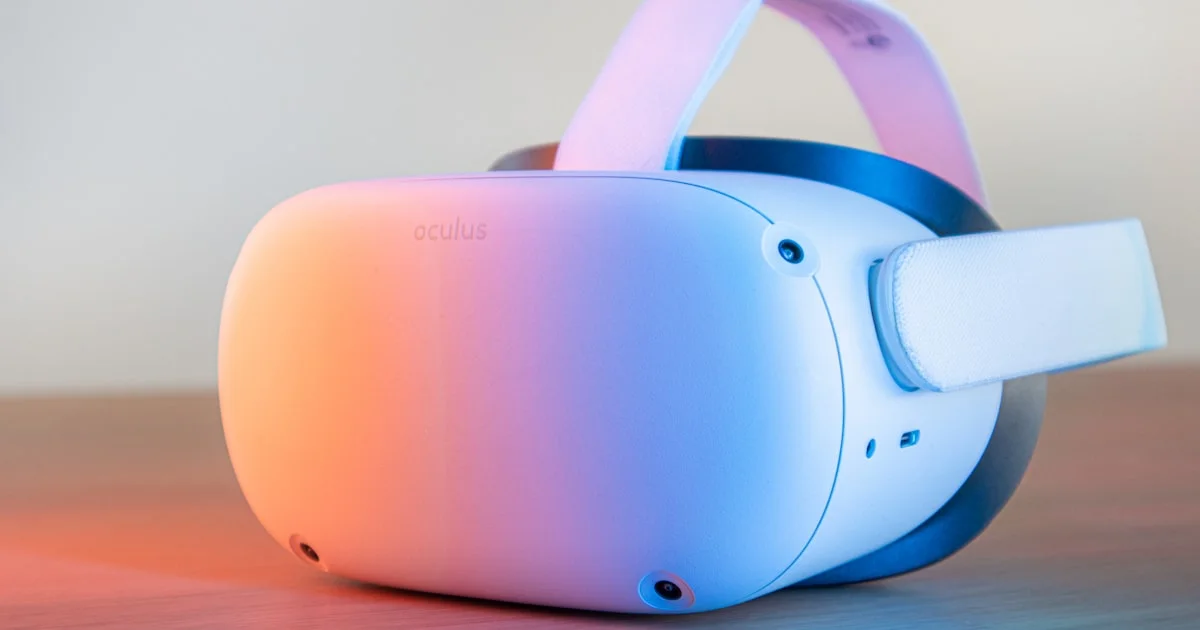
Virtual reality still looks expensive and complicated from the outside, and half the advice online quietly assumes you already own a gaming PC. You do not. The best budget VR headset for beginners is almost always a standalone headset that costs less than a mid-range phone, needs no cables, and works in a living room straight out of the box. The real question is which corners a cheaper headset cuts, and whether those cuts will bother you six months from now.
Key Takeaways
- Standalone headsets are the easiest starting point because they need no PC, no console, and no external sensors.
- Lens type matters more than raw resolution. Fresnel lenses have a smaller sharp zone than pancake lenses, and you feel it every time you turn your head.
- Storage tiers cost real money. Pick the cheaper tier unless you plan to keep a dozen large games installed.
- Budget about two hours of play per charge, then plan around it with a battery strap or a long USB-C cable.
- Comfort accessories and a clear five-by-five-foot play space do more for a beginner’s experience than any spec upgrade.
What Is the Best Budget VR Headset for Beginners?
The short answer: a current standalone headset in the $300 to $400 range, bought new, with the smaller storage tier. As of 2026 that points most shoppers toward the Meta Quest 3S, which lists at $349.99 for 128GB and $449.99 for 256GB. It runs the same software and plays the same games as the pricier Quest 3, on the same Snapdragon XR2 Gen 2 chip and 8GB of memory. That is the whole argument for the best budget VR headset for beginners: you are not buying a smaller game library, you are buying slightly softer optics.
Sony’s PlayStation VR2 sits near $399 and is genuinely excellent, but only if a PS5 is already sitting under your television. If it is not, the console price makes it the most expensive option on this list by a wide margin.
Standalone or Tethered: The First Real Decision
Standalone headsets run games on a chip inside the headset itself. Tethered headsets borrow power from a PC or console over a cable or a wireless link. Standalone wins for beginners for one unglamorous reason: nothing else has to be true for it to work. You charge it, put it on, and you are in.
Where a Cheap Virtual Reality Headset for PC Makes Sense
A cheap virtual reality headset for PC is worth considering only if you already own a gaming PC with a capable graphics card. The payoff is access to PC-only titles and better visual fidelity than a mobile chip can manage. The catch is that most standalone headsets already do this — plug into the PC or stream over Wi-Fi and you get both worlds from one purchase. Buying a PC-only headset means owning a device that does nothing when the computer is off.
Valve has also unveiled the Steam Frame, a standalone SteamOS headset with 2,160 × 2,160 per eye, 16GB of memory, and a claimed field of view up to 110 degrees. Valve has not announced a price or a firm release date, so it is not something to wait for if you want a headset this month.
The Specs That Actually Change How VR Feels
Spec sheets bury the things you notice and highlight the things you do not. In rough order of how much they affect a beginner’s experience:
- Lens type. Pancake lenses stay sharp to the edges. Fresnel lenses have a smaller sweet spot, so you turn your head to read text instead of just moving your eyes.
- Resolution per eye. The Quest 3S runs 1,832 × 1,920 per eye; the Quest 3 runs 2,064 × 2,208. The gap shows up in small text far more than in fast action.
- Field of view. Roughly 96 degrees horizontal on the 3S versus about 110 on the Quest 3. A narrower view feels a little more like looking through goggles.
- Refresh rate. Both headsets above support 72, 90, and 120 Hz. Higher is smoother and easier on sensitive stomachs.
- Battery life. Around two and a half hours on the 3S, closer to two on the Quest 3. Nobody’s first session lasts that long anyway.
What Makes an Entry Level VR Gaming Headset Feel Cheap
An entry level VR gaming headset rarely disappoints on frame rate. It disappoints on the things that touch your face: a thin fabric strap that puts all the weight on your cheekbones, a foam liner that traps sweat, and mixed-reality passthrough that looks grainy in a dim room. The Quest 3S estimates depth in software rather than with a dedicated sensor, which is why its passthrough view of your actual room looks softer than the Quest 3’s. For gaming, this barely matters. For using the headset as a floating desktop, it does.
Budget VR Headsets Compared
| Option | Best for | Main trade-off |
|---|---|---|
| Current budget standalone (Quest 3S) | First-time buyers who want zero setup | Fresnel optics and softer passthrough |
| Step-up standalone (Quest 3) | Reading text, mixed reality, wider view | Costs noticeably more for the same games |
| Console-tethered (PlayStation VR2) | Households that already own a PS5 | Useless without the console; smaller library |
| Used previous-generation standalone | Testing whether you like VR at all | Older chip, no warranty, worn face padding |
Space, Comfort, and Motion Sickness
Most beginner regret is physical, not technical. Clear a square of floor roughly five feet on a side, with nothing at head height. Ceiling fans and low light fixtures are the classic casualties.

Motion sickness is common and usually fades. Start with games where you stand still or teleport rather than glide. Keep the first few sessions to fifteen or twenty minutes, stop the moment your stomach speaks up, and turn on the comfort settings that shrink your view during turns. Most people who quit VR quit in week one because they pushed through nausea instead of building up to it.
Five Mistakes First-Time Buyers Make
- Paying for storage they will never fill. The larger tier is often $100 more. Most beginners keep four or five games installed and delete as they go.
- Skipping the comfort budget. Set aside $30 to $60 for a better head strap and a wipe-clean face interface. It changes more than a resolution bump would.
- Assuming a phone-slot viewer counts. Cardboard-style holders that take a smartphone cannot track your hands or your position. They are a different product entirely.
- Ignoring prescription glasses. Thick frames do not fit comfortably under most headsets. Lens inserts are inexpensive and worth ordering with the headset.
- Buying for a child without checking age guidance. Manufacturers publish minimum ages for their headsets, and accounts for younger users have separate setup steps.
Buying Used: Where Affordable Standalone VR Glasses Get Risky
Used listings are the cheapest door into VR. A previous-generation standalone can sell for around $150, and a used current-generation model for around $400. The savings are real, but so are the catches: affordable standalone VR glasses bought secondhand arrive with battery wear you cannot inspect, face padding somebody else sweated into, and no warranty when a controller starts drifting.
If you go used, buy from a platform with buyer protection, ask the seller to confirm the headset has been factory reset and removed from their account, and budget for a fresh face interface on arrival. For a first headset that has to make a good impression, new at the lower storage tier is usually the smarter spend.
Related Articles
- Best Budget Gaming Controller for PC: What to Look For
- Best Budget Smartphone 2026: What to Look For
- Best Wireless Mouse for Productivity: Office Buying Guide
Frequently Asked Questions
These are the questions that come up most often from people about to buy their first headset, answered without the marketing gloss.
Do I need a gaming PC to use VR?
No. Standalone headsets run everything on hardware inside the headset. A PC only becomes useful if you want access to PC-only titles, and even then most standalone headsets can connect to one when you want to.
How much space does VR really need?
Seated and standing games need almost none. For room-scale play, aim for a clear square about five feet on a side with nothing overhead. Headsets draw a boundary you can see inside the display, and it works well once you set it honestly.
Is a cheaper headset noticeably worse for games?
Rarely. When two headsets share the same processor and memory, they run the same games at the same performance. The difference shows in lens sharpness, field of view, and how clean the passthrough view of your room looks.
How long does a charge actually last?
Plan on roughly two to two and a half hours of mixed use. A battery head strap roughly doubles that and improves balance at the same time, which is why so many owners buy one within a month.
The Bottom Line
Buy the current-generation standalone headset at the lower storage tier, spend the money you saved on a better strap and lens inserts, and give yourself two weeks of short sessions before deciding whether VR is for you. That path costs the least, works the fastest, and leaves the fewest regrets on the shelf.


1 Comment
Comments are closed.