

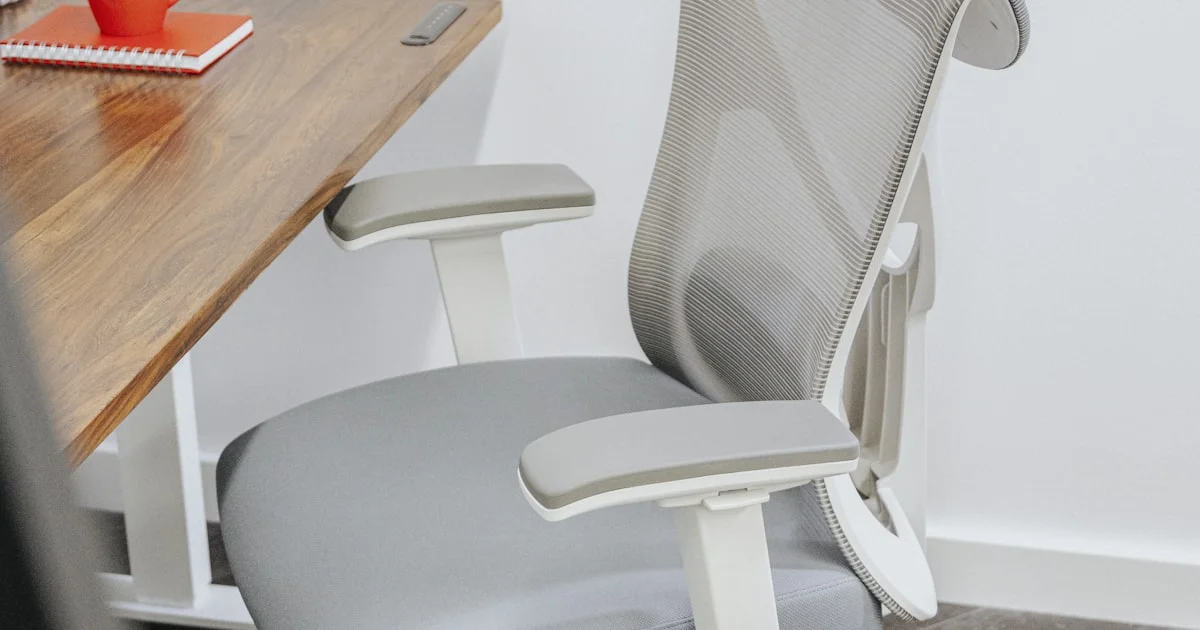
The chair is the piece of office furniture people replace last and regret longest. Shopping for the best budget office chairs for back pain is frustrating because the marketing all sounds identical, and the word “ergonomic” is printed on a $90 chair and a $1,400 chair with equal confidence. The difference between them is not comfort on day one. It is what you can adjust.
Key Takeaways
- Adjustable lumbar support beats fixed lumbar support, because your lower back curve is not the average one.
- OSHA’s own workstation guidance is free, specific, and more useful than most product pages.
- Under $300, expect to give up seat depth adjustment or armrest range. Decide which one you can live without.
- A chair you never adjust is a chair you wasted money on. Budget 15 minutes after assembly.
- A better chair helps posture and comfort, but persistent back pain is a reason to see a clinician, not just to shop.
What the Best Budget Office Chairs for Back Pain Get Right
The short answer: the best budget office chairs for back pain spend their limited money on adjustment range rather than on padding, mesh branding, or a headrest you will never use. A chair that lets you move the lumbar pad to where your back actually curves will outperform a plusher chair that puts support in a fixed spot two inches too low.
OSHA’s computer workstation guidance describes what a chair should do in plain terms. The backrest should conform to the natural curvature of your spine and provide adequate lumbar support. It should recline at least 15 degrees from the vertical. The seat should be padded with a rounded, “waterfall” edge, and the base should be a strong five-legged design with casters matched to your flooring. None of that requires a big budget. All of it is worth checking before you buy.
Lumbar Support Is a Position, Not a Feature
Almost every chair listing claims lumbar support. The useful question is whether that support moves. A cheap lumbar support computer chair with a fixed molded curve fits people whose spines happen to match the mold and pokes everyone else in the wrong vertebra.
Adjustable versions move the contact point up or down to line up with your own lower back, and better ones also move it forward and back to control how firmly it presses. Under $300 you will see a simple two-position knob on the cheapest models, height-only adjustment in the middle, and full height-plus-depth adjustment or a dynamic panel that tracks your movement on the better ones.
If you buy nothing else on this list, buy height-adjustable lumbar support. It is the one feature that turns a chair from something you tolerate into something that fits.
The Four Adjustments Worth Paying For
An affordable ergonomic desk chair cannot include everything, so it helps to know which controls do real work and which are decoration.

- Seat height. Non-negotiable, and present on essentially every chair. Set so the entire sole of your foot rests on the floor with the back of the knee slightly higher than the seat. If the chair will not go low enough, use a footrest.
- Lumbar height. The one covered above. Worth more than any other single upgrade.
- Armrest adjustment. Armrests that sit too high force your shoulders to shrug upward all day. Four-way armrests that move up, in, forward, and pivot are common around $200 to $280. Height-only is workable. Fixed armrests you cannot adjust are worse than none, and OSHA’s advice in that case is simply to remove them.
- Seat depth. The rarest of the four at this price. A sliding seat pan supports most of your thigh without the front edge pressing behind your knee, which matters a lot if you are short or tall.
Tilt lock is a nice fifth. Being able to sit upright while typing and recline while reading lets you change posture through the day, which is worth more than any single “correct” position.
What an Affordable Ergonomic Desk Chair Gives Up
Honesty about compromises is more useful than a ranked list. Reviewers testing chairs in this range consistently find the same pattern of trade-offs.
Around $130 to $160, you get a mesh back, basic two-position lumbar adjustment, and flip-up armrests with no directional movement. Reviewers report seat foam compressing after six to eight months of heavy use and raise durability questions about gas cylinders past the two-year mark. A real upgrade over a dining chair, but a stopgap rather than a decade-long purchase.
Around $200 to $280, the picture improves: four-way armrests, height-adjustable or dynamic lumbar panels, sturdier foam, and tilt tension control. The usual casualty is seat depth, which stays fixed. Several popular models here are also noted as running large in the seat, a real problem for shorter users, so check the seat depth measurement against your own leg length before ordering.
Just over $300, seat pan adjustment appears alongside multi-position tilt locks. If you are between sizes or get pressure behind the knees, stretching to that tier solves something no amount of cushioning will.
How the Common Designs Compare
| Design | Best for | Trade-off |
|---|---|---|
| Mesh back, adjustable lumbar | Warm rooms and long sitting sessions | Finer mesh can trap more heat than it looks like it will |
| Padded foam back | Cooler rooms and people who dislike mesh texture | Foam compresses over time, especially at lower prices |
| Fixed lumbar curve | Nobody in particular, and it is common on the cheapest chairs | Only fits if your back matches the mold |
| Dynamic or moving lumbar panel | People who shift position constantly | Costs more, and the movement can feel unfamiliar at first |
| Four-way armrests | Anyone with shoulder or neck complaints | Padding tends to wear before the frame does |
| Adjustable seat depth | Users well under or over average height | Rare below roughly $300 |
Setting Up Your Chair in Ten Minutes
A well-chosen chair set up badly is just an expensive chair set up badly. Do this once, properly, right after assembly.
- Set seat height first. Feet flat on the floor, knees at roughly 90 degrees, back of the knee slightly above the seat.
- Slide the seat pan, if yours moves, until you can fit two to three fingers between the front edge and the back of your knee.
- Move the lumbar pad up or down until it sits in the small of your back, not on your belt line and not between your shoulder blades.
- Drop the armrests until your forearms rest on them with your upper arms hanging close to your body and your shoulders relaxed.
- Set tilt tension so you can lean back without falling back, then unlock the tilt while you read and lock it upright while you type.
- Sit for a full day, then repeat step three. Your first guess at lumbar height is usually a little too low.
Finding the Best Value Ergonomic Task Chair
Hunting for the best value ergonomic task chair is mostly an exercise in ignoring what photographs well. Headrests, stitching, and dramatic wing shapes do not change how your back feels at 4 p.m. Adjustment range, seat construction, and a solid five-star base do. Assembly in this range commonly runs 45 to 75 minutes, so plan an evening for it, and take published weight ratings seriously — a chair rated at 300 pounds is engineered differently from one that publishes no rating at all.
One more thing worth saying plainly: a better chair reduces the strain of sitting badly for eight hours, and that is a real benefit. It is not treatment. If your back pain is persistent, worsening, or radiating down a leg, that is a conversation with a doctor or physical therapist, not a shopping decision.
Related Articles
- Top 7 Desk Accessories for Productivity Worth Buying — the rest of the workstation your chair sits in.
- Best Wireless Mouse for Productivity: Office Buying Guide — wrist and shoulder comfort at the other end of the desk.
- Cheapest Mechanical Keyboards Under 50: What You Actually Get — typing comfort without the enthusiast price.
Frequently Asked Questions
A few questions come up constantly from people shopping for a chair with a sore back and a limited budget. Here is the short version of each.
Is a $200 chair actually better than a $100 one?
Usually yes, and the reason is adjustment rather than comfort. The extra money buys four-way armrests, real lumbar height adjustment, and denser foam that holds up past the first year. Beyond about $300 the gains get smaller and more specific.
Do I need a headrest?
Only if you recline often. A headrest does nothing while you sit upright and type, and a poorly positioned one pushes your head forward. If a model you like includes one that adjusts independently, fine; do not pay extra for it.
Mesh or foam for back pain?
Neither material fixes back pain on its own. Mesh runs cooler and holds its shape; foam feels softer and compresses over time. Pick based on how warm your room gets, and spend the decision-making energy on lumbar adjustment instead.
How long should a budget chair last?
Expect two to five years of daily use, with seat foam and the gas cylinder as the usual first failures. Chairs in the $200-plus range with published weight ratings tend to sit at the longer end of that span.
The Bottom Line
Buy adjustment, not upholstery. A chair with movable lumbar support and armrests you can actually position will treat your back better than a plusher chair that offers you one fixed shape and hopes it fits.


2 Comments
Comments are closed.