

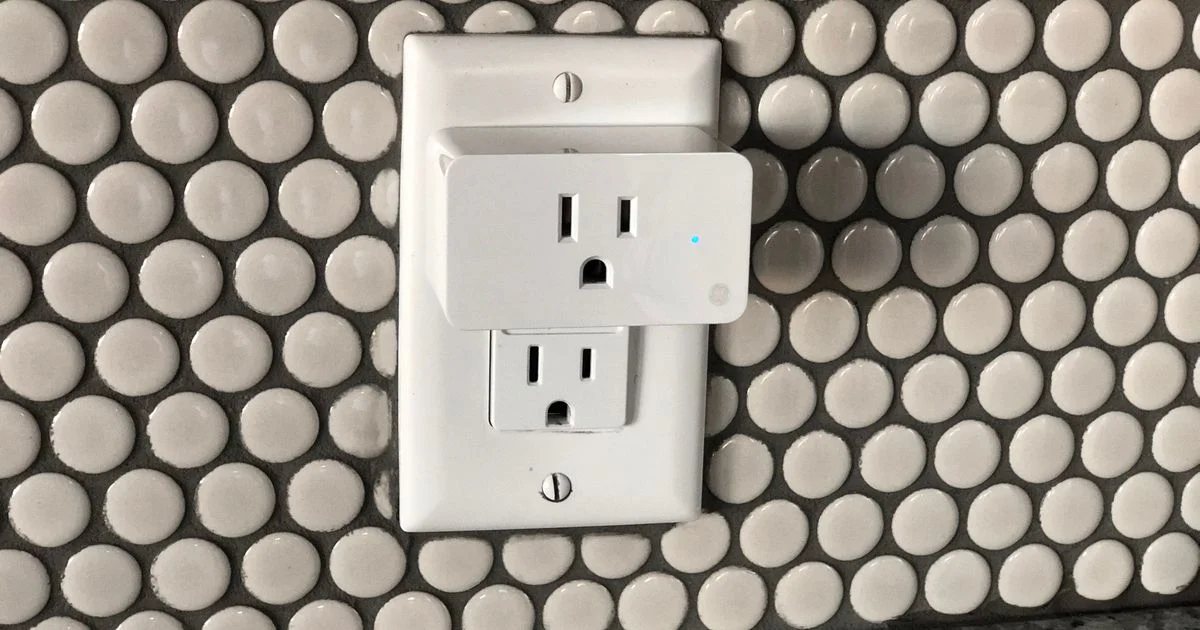
A smart plug is the cheapest way to find out whether you actually want a smart home. It turns a lamp, a fan, or a coffee maker into something your phone and your voice assistant can reach, without an electrician and without replacing anything you own. Picking the best smart plug for home automation comes down to three things most product listings bury: which network it speaks, how much current it can safely handle, and whether it blocks the outlet next to it.
Key Takeaways
- Matter support is the compatibility question that matters now. It lets one plug work across Apple Home, Google Home, Amazon Alexa, and Samsung SmartThings.
- Check the amperage rating before you plug anything in. Many plugs are rated for 10 amps, not the full 15 amps a US wall circuit provides.
- Energy monitoring is the feature that separates a basic on/off plug from a useful one, and it is the only way to see what a device really costs you.
- Thread and Zigbee plugs respond faster and keep working when the internet drops, but they need a hub or border router.
- Buy the compact “mini” body. A fat plug that covers the second outlet turns a two-outlet wall into a one-outlet wall.
What the Best Smart Plug for Home Automation Needs to Do
The short answer: switch power reliably, respond in under a second, work with the assistant you already use, and keep working when your internet does not.
Everything else is a bonus. A smart plug is a relay in a box with a radio attached, and when it fails it fails in an annoying way: the lamp does not come on and you walk over to press a button like it is 1995. Reliability outranks feature count every time. The good news is that the category has matured, so most name-brand plugs handle the basics fine. The differences that remain are the ones below.
Matter, Wi-Fi, Thread, and Zigbee Explained
This is where most buyers get lost, so here is the plain version.
Wi-Fi plugs connect straight to your router. Nothing else to buy, and setup takes a couple of minutes. The downsides are that each plug occupies a slot on your Wi-Fi network and that most of them route commands through the manufacturer’s servers, so an internet outage can mean a dumb plug.
Thread plugs form a low-power mesh with your other Thread devices. They respond faster, use less power, and stay off your Wi-Fi network. They need a Thread border router, which you may already own if you have a recent smart speaker or streaming box.
Zigbee works on similar mesh principles and is common in hub-based systems. Solid and local, but it needs that hub.
Matter is not a radio at all. It is the shared language that lets a plug work with more than one ecosystem, and it runs over Wi-Fi or Thread. Any honest wifi smart plug review written today should tell you whether the device is Matter certified, because that is what protects you if you switch from Alexa to Apple Home in two years.

Energy Monitoring: The Feature Worth Paying For
A plain smart plug tells you nothing about what it is switching. A plug with energy monitoring reports how much power the device is drawing, and that turns guesswork into numbers.
It is genuinely useful in a few situations. You can find out what a space heater, a dehumidifier, or an old second refrigerator is really costing you. You can catch standby draw from equipment that is supposedly off. And you can build automations around actual power use, like getting a notification when the washing machine finishes because the draw fell to nearly nothing.
Two cautions. Cheap energy monitoring can be imprecise at very low loads, so a plug reporting a couple of watts is giving you a rough figure rather than a lab measurement. And a best smart plug with energy monitoring is only as good as the app behind it, so check whether the data is exportable or trapped in a graph you cannot do anything with.
The Safety Numbers Nobody Reads
This is the part that matters most and gets the least attention. A standard US household circuit is 120 volts and usually 15 amps. Many smart plugs are rated for only 10 amps, which works out to about 1,200 watts, and some are lower still.
Run through this before you buy:
- Find the amperage or wattage rating on the plug’s spec sheet, not the marketing page.
- Check the draw of whatever you intend to plug in. It is on the appliance label.
- Leave headroom. For anything that runs continuously, staying at or under 80 percent of the rating is the sensible habit.
- Look for a UL or ETL listing mark. That is third-party safety testing, and it is not optional in a device that carries household current.
Some appliances should not go on a smart plug at all. Space heaters are the big one: most pull around 1,500 watts, run for hours, and their own manufacturers typically warn against extension cords and adapters. Window air conditioners, portable dryers, and anything with a heating element deserve the same caution. If a device is designed to make heat, plug it into the wall directly.
Size, Shape, and Where It Physically Fits
The most common regret in this category has nothing to do with software. It is buying a plug so bulky it covers the outlet below it, so you gain a smart outlet and lose a normal one.
Look for a compact body and a low profile. If you are working with a power strip, measure the spacing between sockets first. Also think about where the physical button sits, because you will use it more than you expect, and a button you have to reach behind furniture to press is a design you will resent.
Outdoor use is its own category. An outdoor-rated plug has a weather-resistant housing and a proper ingress rating. An indoor plug in a garage is fine. An indoor plug on a porch is a bad idea.
A Practical Smart Outlet Comparison
Rather than ranking brands that change every season, here is a smart outlet comparison by what you are actually trying to do.
| Your situation | What to look for | Trade-off |
|---|---|---|
| First smart device, no hub | Matter-certified Wi-Fi mini plug | Cloud dependency; slower than mesh options |
| Already own a smart speaker or streaming box | Thread plug using it as a border router | Costs more; you must confirm the router is compatible |
| Tracking what an appliance costs | Energy monitoring with exportable history | Low-load readings are approximate |
| Want it working during an internet outage | Thread or Zigbee with local control | Requires a hub and more setup |
| Porch, patio, or holiday lights | Outdoor-rated housing, often multi-socket | Bigger and pricier than an indoor plug |
Setting It Up in Ten Minutes
Setup is genuinely easy now, but the order helps.
- Plug it in near your router the first time. Pairing at the far end of the house is how people end up thinking a good plug is broken.
- Install the manufacturer’s app and create the account, even if you plan to use Apple Home or Google Home afterward. Most plugs still need it for firmware updates.
- Join your 2.4 GHz Wi-Fi network. A lot of plugs do not support 5 GHz, and this is the single most common setup failure.
- Scan the Matter code on the plug or its manual, then add it to your assistant of choice.
- Rename it something you would actually say out loud. “Living room lamp” works. “Smart Plug 4A2F” does not.
- Run the firmware update before you move it to its final spot.
Related Articles
- Best Smart Doorbell Camera Buying Guide for 2026
- Best Laser Level for Home Projects: DIY Buying Guide
- Is a VPN Necessary for Online Banking? An Honest Answer
Frequently Asked Questions
These are the questions that come up most once people start comparing models. The answers depend less on brand than on the specs above.
Do smart plugs use much electricity themselves?
Very little. The radio and relay draw a small trickle of standby power around the clock, which is a rounding error next to most of what you would plug into it. If you are using the plug to cut standby draw from a larger device, you come out ahead.
Will my smart plug still work if the internet goes down?
It depends on the type. Thread and Zigbee plugs paired to a local hub generally keep working on schedules and local commands. Most cloud-based Wi-Fi plugs lose remote and voice control, though the physical button on the plug always works.
Can I use a smart plug with a space heater?
It is not recommended. Space heaters typically draw around 1,500 watts continuously, which exceeds or crowds the rating of most smart plugs, and heater manufacturers generally warn against plugging them into anything but a wall outlet. Plug heaters straight into the wall.
The Bottom Line
The right smart plug is the boring one that fits the outlet, carries the load safely, speaks Matter, and responds every time. Check the amperage rating against what you plan to plug in, skip anything with a heating element, and start with one plug on a lamp before you commit to a houseful.


3 Comments
Comments are closed.