

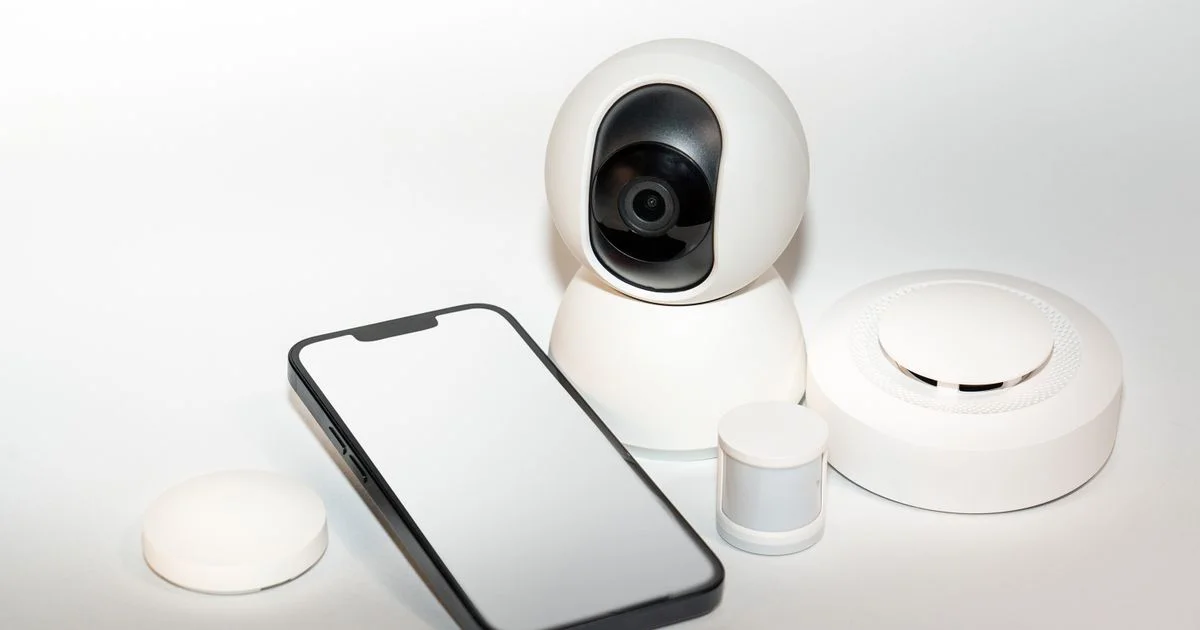
The doorbell rings at 11:40 on a Tuesday morning and nobody is home. What you want, three hours later, is not a grainy still and a notification you already swiped away — you want to see who stood there and what they left. Picking the best smart camera for Google Home for the front door comes down to where the camera sits, how it gets power, and how much of what it records you can still watch tomorrow.
This is an independent editorial article. We are not affiliated with any brand mentioned, and no brand reviewed or approved it.
Use case 1: the front door of a house you own
This is the position that decides everything else. A front-door camera watches a small, busy patch of ground, mostly in daylight, mostly for deliveries and visitors, and it is the one camera in the house that benefits most from never running out of battery.
Google’s own hardware splits neatly here. Continuous recording — what Google calls 24/7 video history — is only available on wired Nest cameras and doorbells. It is not available on the Nest Doorbell (battery) at all, even if you wire that doorbell into existing chime wiring. If you want the camera rolling all the time rather than only when something moves, the wire is not optional.
The subscription tier matters just as much as the hardware. A Google Home Premium subscription (the service formerly sold as Nest Aware) comes in two plans:
- Standard — 30 days of event video history and 10 days of 24/7 video history
- Advanced — 60 days of event video history, the same 10 days of 24/7 video history, plus the Gemini-powered extras: AI notifications, AI descriptions, Home Brief and the ability to search your video history by asking for what you want
One subscription covers every compatible device in the home rather than being billed per camera, which changes the math the moment you own two.
Use case 2: a rental where you cannot drill and cannot subscribe
Renters get squeezed from both ends — the landlord will not approve a hole in the siding, and a monthly fee for a camera you may move out from in a year is hard to justify. The free tier is genuinely usable here, as long as you know its shape.
Without any subscription, the newest Nest hardware — the third-generation indoor camera, the second-generation outdoor camera and the third-generation doorbell — keeps up to 6 hours of event video previews, with clips running up to 10 seconds. Older models and battery doorbells get up to 3 hours of event video history. That is enough to answer “what happened while I was at lunch” and nowhere near enough to answer “what happened last weekend.”
Three things follow from that for a rental:
- Choose battery or plug-in power over anything that needs a drill or a wiring box, and keep the mount reversible.
- Assume you will check alerts the same day. A 3-to-6-hour window is a same-day tool, not an archive.
- If a specific event matters — a package dispute, a neighbor problem — save the clip immediately. All of it is cloud storage and all of it is deleted on a rolling basis.
Since August 2026 the Google Home app has also connected a much wider range of cameras, including models from Eufy, Tapo, Wyze, Reolink and Nanit, which widens the cheap end of the shelf considerably for anyone who does not want to buy into one brand for a one-year lease.

Use case 3: watching an empty house while you are at work
A smart camera for Google Home for indoor monitoring has a different problem from a doorbell camera: almost nothing happens, and then one thing does. The value is entirely in whether the alert that reaches your phone is specific enough to be worth reading.
The intelligent alerts available across Google’s camera line cover person, animal and vehicle detection, plain motion, familiar face detection, package detection on doorbells, and — in the US only — sound detection for smoke and carbon monoxide alarms and garage door detection. Familiar face detection is not available in Illinois, a restriction worth knowing before you buy a camera specifically for that feature.
Since May 2026 cameras can also act as triggers for automations described in plain language, so a camera can start a routine when it sees something you have described rather than only when it sees motion. That is the feature that turns an indoor camera from a recording device into part of the house.
Use case 4: pets, and the cameras people buy for them
A smart camera for Google Home for pet monitoring is usually bought after an incident — a chewed doorframe, a dog that barks all afternoon according to a neighbor. Two specifications do the work here and neither is resolution.
The first is field of view and the ability to pan. A pet does not stay in frame, so a camera that swivels covers a room that three fixed cameras would otherwise need. The second is two-way talk, which is the only part of the setup that lets you interrupt behavior rather than just document it.
Animal detection is worth enabling and person detection is worth keeping on alongside it — the useful alert is often not the dog, it is someone in the house while you are out. Budget cameras added to the Google Home line in July 2026, including Walmart’s onn Outdoor Plug-In and Floodlight Hardwired models, carry 1080p HDR video and two-way talk, though their more advanced features sit behind a Google Home Premium plan.
Use case 5: the nursery, where a camera is not a baby monitor
A smart camera for Google Home for baby monitoring is the one scenario where it is worth being blunt about the limits. A Wi-Fi camera depends on your router, your internet connection and a cloud service. A dedicated baby monitor depends on a direct radio link to a screen in your hand. Those are not the same reliability, and the gap shows up exactly when the network has a bad night.
If you use a general-purpose camera in a nursery anyway, which plenty of parents do:
- Mount the camera and its power cord well out of reach of the crib — a cord within arm’s length of a sleeping child is a strangulation hazard, and no camera feature offsets that.
- Do not rely on sound alerts alone. The sound detection Google lists is for smoke and CO alarms, not for a baby.
- Keep a second way of hearing the room, whether that is an open door or an actual monitor.
Use case 6: when the power or the Wi-Fi goes out
Every scenario above quietly assumes a working network. A wired camera loses its feed in a power cut; a battery camera keeps running but has nowhere to send the video. Nest cameras store history in the cloud, with no local storage option, which makes your internet connection part of the security system whether you planned it that way or not.
This is also where the standards are moving. Matter, the cross-platform smart home standard, added camera support in its 1.5 release: live video and audio streaming, motion-triggered clip recording by zone, snapshots, and both physical and digital pan-tilt-zoom, with video doorbells and intercoms explicitly covered. SmartThings moved first on it. For a buyer today, that is a reason to prefer a camera from a manufacturer likely to ship Matter camera support rather than one that will be stranded on its own app.
Side-by-side by situation
| Your situation | What it actually needs | What you can skip |
|---|---|---|
| Front door, own the house | Wired power, 24/7 history, package detection | Pan and tilt — the view does not move |
| Rental, no drilling | Battery or plug-in, reversible mount, same-day habit of saving clips | A subscription, at least at first |
| Empty house on weekdays | Specific alerts: person, vehicle, familiar face | Continuous recording nobody will watch |
| Pets alone all day | Pan-and-tilt coverage, two-way talk, animal detection | 4K resolution |
| Nursery | A safe mounting distance and a real monitor beside it | Treating the camera as the only safeguard |
| Flaky internet | A camera from a brand committed to Matter, and realistic expectations | Any claim that cloud history works offline |
Related Articles
- Best Smart Doorbell Camera Buying Guide for 2026
- Best Smart Garage Door Opener: A Complete Buyer’s Guide
- Best Smart Plug for Home Automation: A Buyer’s Guide
Frequently Asked Questions
The questions below come up most often once someone has a camera in a box and the app open, and the answers depend more on plan and power than on the camera itself.
Do I need a subscription for a Google Home camera to work at all?
No. Live view, two-way talk, activity zones and motion, person, animal and vehicle alerts work without one. What you lose is history: up to 6 hours of event previews on the newest hardware, or up to 3 hours on older models and battery doorbells, instead of the 30 or 60 days a paid plan keeps.
Can I record continuously on a battery camera?
Not on a Nest Doorbell (battery), which cannot do 24/7 video history even with optional wired installation. A Nest Cam (battery) has to be connected to a power source for continuous recording. If continuous is the requirement, plan for a wire.
Will a camera from another brand work in the Google Home app?
Increasingly, yes. Google expanded supported cameras in August 2026 to include brands such as Eufy, Tapo, Wyze, Reolink and Nanit. Support varies by model, so check the specific camera rather than the brand, and expect the premium AI features to stay tied to Google’s own subscription.
Is one camera enough?
For most homes the front door is the first and often only camera that earns its place, because it covers the entrance almost everything passes through. Add a second one only when you can name the thing it would show you that the first one does not.
Conclusion
The camera hardware is the easy part; the decisions that matter are where it sits, whether it has a wire, and how many days of history you will actually pay for. Match those three to your situation — a front door, a rental, an empty house, a pet, a nursery — and the shortlist shrinks to one or two obvious options.


1 Comment
Comments are closed.