

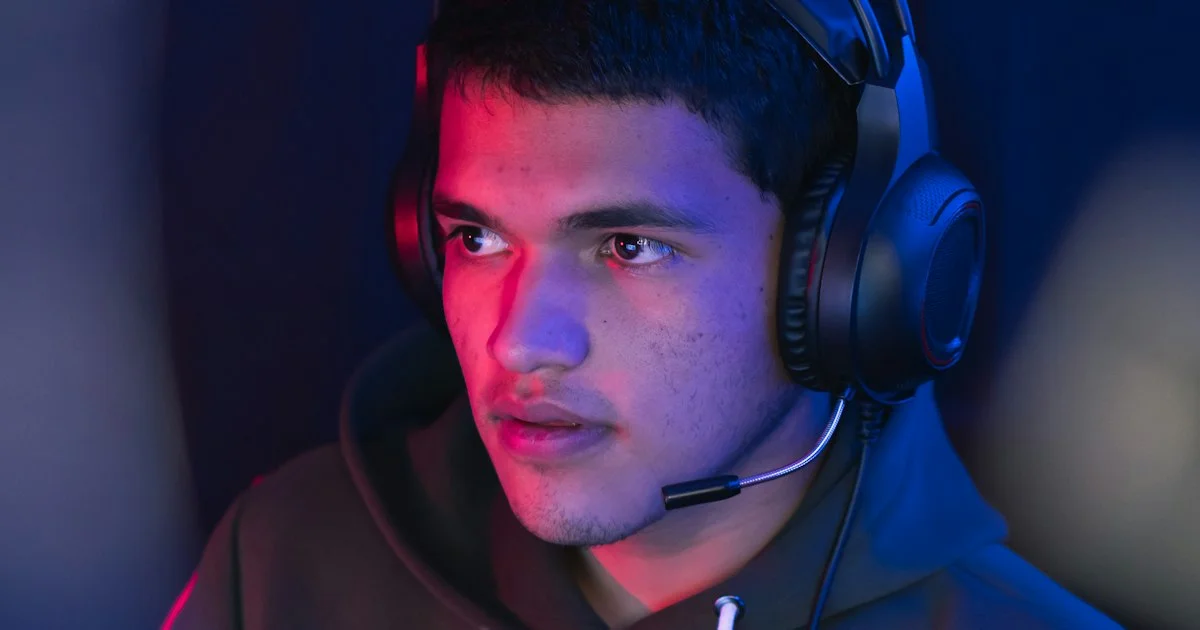
Nobody hears your headset the way you do. You hear the drivers; everyone else hears the four-inch plastic arm hanging off the side of it. Chasing the best gaming headset mic quality is really about deciding who has to listen to you and in what room — a squad of friends on a Tuesday night, a Discord server full of strangers, an audience on a stream, or a manager on a work call at nine the next morning.
Key Takeaways
- Bluetooth drops your mic to telephone quality. Voice chat forces the HFP/HSP profile, which limits mic audio to an 8 kHz sampling rate.
- A 2.4 GHz dongle keeps full mic bandwidth up to 20 kHz during voice chat, with roughly 16 ms latency instead of Bluetooth’s 40 to 150 ms.
- Boom position beats boom price. Moving a mic an inch closer does more than spending another $80 to $100 on hardware.
- If you stream in a noisy or echoey room, a headset plus a cheap standalone mic usually beats one expensive headset.
- Detachable, flip-to-mute and fixed booms are three different daily habits, not three tiers of quality.
What Actually Decides the Best Gaming Headset Mic Quality
The short answer: the connection, the boom position, and the room — roughly in that order, and none of them appear in the marketing copy. A $329 headset on Bluetooth will sound worse in Discord than a $99 headset on a wired connection, because the limit is the protocol, not the capsule.
Here is the part almost nobody explains at the store. Bluetooth’s A2DP profile carries high-quality audio, but it only runs one way. The moment you open voice chat, your headset switches to HFP or HSP, and those profiles cap microphone input at an 8 kHz sampling rate — telephone quality, and it sounds like it. Newer HFP 1.6 with the mSBC codec lifts that to 16 kHz, which is better and still nowhere near a wire. Proprietary 2.4 GHz gaming wireless avoids the switch entirely and keeps full bandwidth up to 20 kHz while you talk.
That single fact reorders the shopping list. Any clear mic gaming headset review that tests over a dongle and then recommends the headset for Bluetooth phone calls is measuring two different products.
Squad Night on Discord: Clarity Beats Warmth
For group voice chat, the goal is not a beautiful voice. It is being understood while three other people talk over a firefight. The best headset for Discord is the one whose boom sits where your mouth is and mutes without you thinking about it.
That last part matters more than it sounds. Muting habits split into three designs:
- Flip-to-mute booms — lift the arm, you are muted. No menu, no key bind, no “you’re still unmuted” from your friends. The Audio-Technica ATH-M50x STS StreamSet ($249) uses this, and unusually for a headset, it carries a full cardioid condenser capsule of the kind normally found in standalone mics.
- Detachable booms — unplug the arm and the headset becomes normal headphones for the walk to class. The HyperX Cloud Alpha is the long-running example, with a well-regarded detachable unit but no flip-to-mute. The SteelSeries Arctis Nova 3X is also detachable and adds a dedicated mute button.
- Fixed booms — nothing to lose, nothing to break. The Beyerdynamic MMX 330 Pro ($329) is non-detachable and has an excellent mic; you simply live with the arm being there.
None of these is better sounding by design. They are three different answers to “what do you do with the mic when you stop talking,” and you will use whichever one is closest to a reflex.

Streaming to Strangers: Where Headset Mics Hit Their Ceiling
A headset mic is a compromise engineered into a package that also has to sit on your head, stay light, and survive being yanked off. It is a good compromise, and still a compromise. The honest math, which PC Gamer makes plainly: a streamer can buy a mid-range headset and one of the better cheap standalone microphones for less than a premium headset alone. The headset then only has to sound good in your ears, and the mic only has to sound good to your audience.
Entry-level standalone options make this practical rather than aspirational. The HyperX SoloCast 2 runs about $52 to $59 over USB-C with a cardioid pattern at 96 kHz and 24-bit. The Logitech Yeti Orb sits around $60 to $69 at 48 kHz and 24-bit. Step up and the Rode NT-USB+ ($157 to $179) or the four-pattern HyperX QuadCast 2 S ($155 to $199) are what people actually stream on.
A Shared Room, a Loud Household, or a Roommate Asleep
This scenario changes the answer more than any other, because the problem stops being your voice and starts being everything around it.
A cardioid pattern creates a narrow cone on one side of the capsule and largely ignores what falls outside it — which is why boom position is so decisive. Condenser capsules capture a broader frequency range and, in an untreated echoey room, capture the room right along with you. Dynamic capsules reject far more ambient sound, which is why they are the standing recommendation for noisy or reflective spaces; the Rode PodMic USB ($183) is the common pick if you go that route.
A noise cancelling gaming mic is the other approach, and it has gotten genuinely good. The AceZone A-Spire uses a flip-to-cancel boom described as crystal clear, with optional AI noise reduction switched on in its app. Most major headsets now offer something similar in their software, and it is worth turning on before you conclude the mic is bad.
What noise suppression cannot fix is a fan, a mechanical keyboard, or a television three feet behind you feeding the capsule constantly. Move the mic first; process second.
Wireless on the Couch, Wired at the Desk
Console players and anyone who games from a sofa hit the wireless question immediately, and the answer is not “wireless is worse” — it is “Bluetooth is worse for talking.” A dongle gives you roughly 16 ms of latency and full mic bandwidth; Bluetooth gives you 40 to 150 ms and that 8 kHz ceiling. Some headsets make it explicit: the PowerA LucidSound LS500’s flip-up boom is called good enough for chat but limited for streaming, and it works over the dongle only — not over Bluetooth at all.
If the headset supports both, treat them as separate modes. Dongle for playing and talking, Bluetooth for music on the bus.
Which Situation Are You In?
| Your situation | What the mic needs to do | What to skip |
|---|---|---|
| Nightly Discord with friends | Be intelligible and mute instantly; flip-to-mute or a dedicated button | Bluetooth voice chat, and any mic you have to reposition each session |
| Streaming or recording for an audience | Sound good to strangers — usually a separate USB mic on a stand | Paying premium-headset money for a built-in capsule |
| Shared room, thin walls, sleeping roommate | Reject the room: tight cardioid pickup, dynamic capsule, noise suppression on | An open condenser sitting in the middle of a hard-surfaced room |
| Console gaming from the couch | Full-bandwidth 2.4 GHz wireless with a real boom | Bluetooth for anything involving your voice |
| Gaming and work calls on one headset | A detachable boom so it becomes normal headphones between meetings | A fixed arm you will resent on video calls |
| Competitive play where being heard is the point | A wired connection and a boom you never move | Anything that adds latency or a battery to the chain |
Fixing a Bad-Sounding Mic Before You Replace It
Most “my mic sounds terrible” complaints are a settings problem, not a hardware problem. Work through this before spending anything:
- Get off Bluetooth. On PC, connect the dongle or the cable and confirm the headset is not sitting on a hands-free profile.
- Move the boom to about one to two inches from the corner of your mouth, angled slightly off-axis rather than pointed straight at it. This is the single biggest improvement available to you.
- Turn on the manufacturer’s noise suppression in its software, then listen back to a recording of yourself rather than trusting a friend’s “yeah, sounds fine.”
- Update the headset firmware. Audio processing improvements ship in these updates more often than people expect.
- Move the wireless receiver away from your Wi-Fi router and away from USB 3.0 ports, both of which generate interference in the 2.4 GHz band.
- Check your input level. A mic clipping on every laugh sounds far worse than a quiet one.
Related Articles
- Gaming Laptop Under $1000 Buying Guide: Dorm, Desk, or Backpack
- Cheapest Mechanical Keyboards Under 50: What You Actually Get
- Best Budget Gaming Controller for PC: What to Look For
Frequently Asked Questions
These come up constantly in voice chats and buying threads, and the answers are more about connection and placement than about brand.
Why does my mic sound worse on my wireless headset than my old wired one?
If you are connected over Bluetooth, your headset switched to the HFP or HSP profile the moment voice chat opened, capping the microphone at an 8 kHz sampling rate. A 2.4 GHz dongle avoids that switch and keeps mic bandwidth up to 20 kHz. Same headset, same capsule, completely different result.
Is a separate microphone really worth it just for Discord?
For casual squad chat, no — a decent headset boom is fine and far more convenient. For streaming, recording, or any situation where people who did not choose to listen to you have to listen to you, yes. Cheap USB cardioid mics start around $52 to $69, which is less than the gap between a mid-range and premium headset.
Does noise cancellation on a gaming mic actually work?
Modern software suppression, including the AI-assisted kind in headset companion apps, handles steady background noise like fans and distant traffic well. It struggles with sudden sounds and with anything loud and close, such as a mechanical keyboard directly under the boom. Move the mic and the noise source apart first, then let the software clean up what is left.
Do detachable mics sound worse than fixed ones?
Not inherently. The connector is not the limiting factor — the capsule, the connection type and where the arm sits are. Choose detachable if you want the headset to double as normal headphones, and fixed if you would rather not own a small part that can be lost in a drawer.
The Bottom Line
Get off Bluetooth for voice, put the boom an inch or two from the corner of your mouth, and be honest about who is listening. If it is friends, almost any decent headset does the job; if it is an audience, the money is better spent on a headset you like wearing and a cheap cardioid mic on the desk.


3 Comments
Comments are closed.