

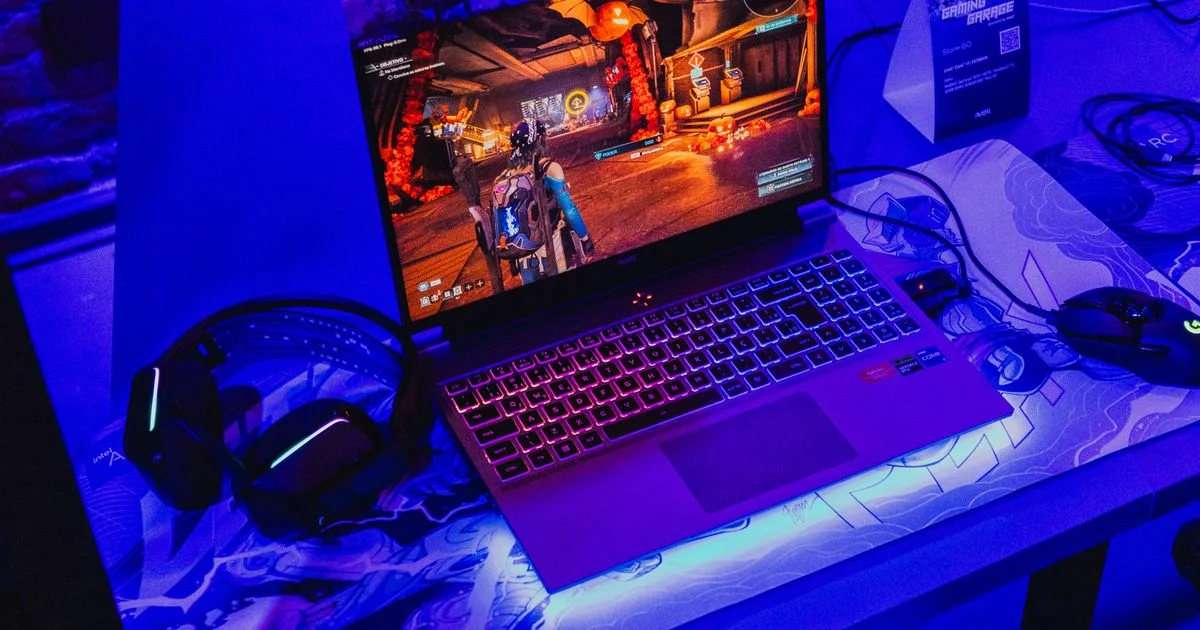
Buying a cheap gaming laptop is less about finding the highest numbers and more about being honest with yourself about where the thing will actually sit. A dorm desk, a bedroom corner, and a backpack you carry five days a week each punish different weaknesses. This gaming laptop under $1000 buying guide is organized around those situations rather than a leaderboard, because the same machine can be a great buy in one of them and a daily annoyance in another.
Key Takeaways
- The graphics chip is the one part you cannot upgrade later, so it decides how long the laptop stays useful.
- At this price the target is 1080p with some settings turned down, not 1440p and not ray tracing.
- Expect roughly four to six hours of battery in normal use, and far less while gaming.
- Storage and memory are the cheap fixes; screen quality, keyboard feel and fan noise are the ones you live with.
- Prices in this tier are unusually unstable right now because of a global memory shortage, so the same model can swing by hundreds of dollars.
What a Gaming Laptop Under $1000 Buying Guide Should Settle First
The short answer: at this budget you are buying an entry-level graphics chip attached to a 1080p screen, and everything else is a negotiation. Nvidia’s RTX 5050 is the chip that defines the tier. It carries 8GB of GDDR7 memory on a 128-bit bus, which TechRadar’s laptop expert calls “the absolute minimum I’d recommend in 2026,” and it performs roughly like the older RTX 4060. That is genuinely enough for esports titles, indie games and most big releases at 1080p once you stop insisting on ultra presets.
PCWorld’s pick in this range, the Acer Nitro V 16 AI, reviewed at $899 with that RTX 5050, a Ryzen 5, 16GB of RAM, a 512GB SSD and a 16-inch 1920×1200 screen running at 180Hz. It hit about 72 frames per second in Cyberpunk 2077 at 1080p. The same listing has since been seen at $1,039.99, which tells you most of what you need to know about pricing right now: a global memory shortage has pushed component costs up, and the sub-$1,000 shelf is thinner than it was a year ago. Treat any price you read, including these, as a snapshot rather than a promise.
The Dorm Room: One Machine That Also Has to Do Homework
This is the most common version of the purchase, and it is the one where a pure budget gaming laptop comparison misleads people. The machine has to survive lecture halls and the library, which means battery life and weight matter as much as frame rates. Gaming laptops are heavy and loud by nature; a 16-inch model is comfortable on a desk and awkward on a fold-down classroom tray.
Two things matter more here than the GPU. First, storage: 512GB sounds fine until three modern games and a semester of coursework fill it, and swapping in a larger SSD later is a twenty-minute job on most of these chassis. Second, the webcam and microphone, which are usually poor at this price and which you will use for a group call within the first week.
The Desk at Home: When It Never Moves
If the laptop lives permanently on a desk, its worst weaknesses stop mattering. Weight is irrelevant. Battery life is irrelevant. Poor built-in speakers, a common complaint in this tier, are solved by the headset you already own. What you gain is the freedom to spend the whole budget on the graphics chip and ignore everything else.
A stationary machine also lets you fix the two things that age worst. An external monitor sidesteps a mediocre built-in panel, and an external keyboard and mouse spare the laptop’s own from thousands of hours of wear. A laptop stand that lifts the chassis off the desk helps the fans breathe, which is not a cosmetic detail — thermal headroom is what keeps performance from sagging halfway through a long session.

The Couch and the Controller
Plenty of people buy a gaming laptop and then play most of their games with a controller, screen propped on a coffee table. If that is you, the calculation shifts again. Controller-friendly games are often less demanding than competitive shooters, so a 180Hz panel is largely wasted and you would rather have a brighter, more accurate screen. Fan noise becomes the top complaint, because you are sitting closer to the machine and there is no desk absorbing anything.
One practical note: a laptop on a soft surface is a laptop with blocked intakes. A couch cushion or a duvet will make even a well-cooled machine throttle within minutes. A hard lap desk costs very little and solves it permanently.
The Backpack: Carried Every Day
Daily carry is where the honest cheap gaming laptop review gets uncomfortable. These machines are built around cooling, which means thickness and weight, and they ship with large power bricks that most people forget to weigh. A 16-inch gaming laptop plus its charger is a real load, and the charger is not optional — gaming on battery power runs slower on nearly every model, by design.
If the laptop commutes, prioritize a smaller screen size, a chassis that does not flex when you pick it up by one corner, and enough ports that you are not carrying a dongle bag as well. PCWorld’s general advice for the tier is worth repeating here: expect four to six hours of battery in ordinary use, and plan around outlets rather than hoping.
Which Situation Needs What
| Your situation | What it actually needs | What you can skip |
|---|---|---|
| Dorm room, one machine for everything | Larger SSD, decent battery, usable webcam | The fastest GPU tier |
| Permanent home desk | Strongest GPU you can afford, good cooling | Weight, battery, built-in speakers |
| Couch and controller | Bright, accurate screen; quiet fans | Very high refresh rates |
| Daily backpack carry | Smaller size, sturdy chassis, port selection | Top-end graphics power |
| First gaming machine, unsure of use | 16GB RAM, upgradeable storage, standard parts | Brand-specific software features |
Setup Habits That Stretch a Budget Machine
An affordable gaming laptop ranked highly on release can still disappoint if it is set up badly. A few habits do more for real-world performance than any spec upgrade at this price:
- Remove the bloatware that ships preinstalled — budget models are often loaded with it, and it costs both storage and background performance.
- Set games to 1080p first, then raise settings until frame rates dip, rather than starting at maximum and working down.
- Turn on the manufacturer’s performance or cooling mode when plugged in, and leave it off on battery.
- Clean the intake vents every few months; dust is the single most common cause of a machine that “got slower.”
- Add an SSD or extra memory only after you have lived with the machine long enough to know which one you actually need.
The upgrade order matters because the GPU is soldered in place. Memory and storage can be improved cheaply for years; graphics power cannot be improved at all. Spend accordingly on the day you buy.
Related Articles
- Budget GPU Under $300 for 1080p Gaming: An Honest Guide
- Best Budget Gaming Controller for PC: What to Look For
- Cheapest Mechanical Keyboards Under 50: What You Actually Get
Frequently Asked Questions
These are the questions that come up most often once someone has narrowed the list to two or three machines and is trying to decide whether the cheaper one is a mistake.
Is 8GB of video memory enough in 2026?
For 1080p gaming with settings adjusted, yes — but it is the floor, not a comfortable margin. Some recent big-budget titles will exceed it at high settings and stutter as a result. If you expect to keep the laptop for four or five years, that is the specification most likely to feel dated first.
Should I wait for a sale?
Sales in this tier have been unusually large recently, with holiday discounts of several hundred dollars reported on RTX 5050 machines. But component prices are also rising, so waiting is a gamble in both directions. If you find a model you want at a price you can justify today, that is usually the better decision than timing the market.
Can I use a gaming laptop as my only computer?
Yes, and most people at this price do. The compromises are practical rather than technical: it is heavier than a normal laptop, the fans are audible in a quiet room, and the battery does not last through a full day. None of those stop it from handling coursework, video calls and office software perfectly well.
Is a used or refurbished machine a better buy?
Sometimes, especially while new prices are inflated. The risks are battery health, which degrades with age and is awkward to replace, and thermal paste that has dried out, which shows up as unexplained throttling. Buy refurbished only with a warranty and a clear return window.
The Bottom Line
A machine at this price is an entry-level graphics chip in a body built around cooling it, and the right choice depends almost entirely on where it will live. Decide the situation first, spend the money on the parts that situation punishes hardest, and leave the upgradeable parts for later.


1 Comment
Comments are closed.